Manage your account
Open the account menu in the upper-right corner, then Account settings, to change your login details, displayed timezone, and creation defaults.
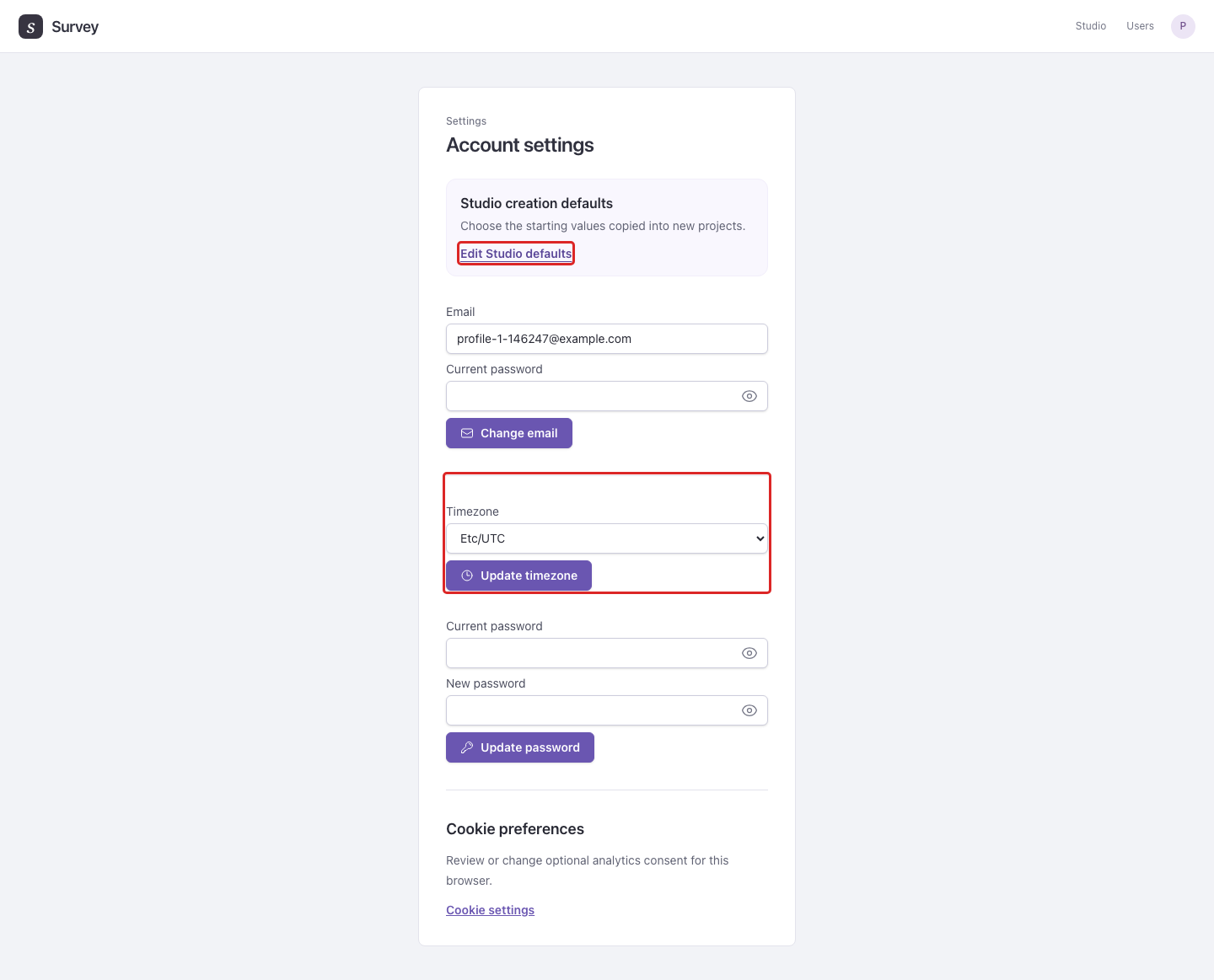
- Change email requires your current password. Follow the email confirmation instructions to complete the change.
- Update password requires your current and new passwords.
- Choose a Timezone, then Update timezone, to change how dates and deadlines are displayed.
- Edit Studio defaults opens your personal defaults, which are copied into new projects. A project's defaults then govern content added there. See creation defaults. Existing content keeps its settings.
Example: Choose Europe/Berlin before scheduling data removal so the deadline is displayed in the timezone you use for the study. Survey retention fields also show their timezone; check that label when entering a deadline.
Under Cookie preferences, Cookie settings opens the controls for optional analytics consent in this browser. These preferences are separate from a survey's participant-data retention settings.
Open API keys to create and revoke keys for scripts and research tools. Keys can cover all surveys you own or a single survey. See API access for endpoints and examples.