Collect values from a participant link
URL parameters carry small text values in a survey link. Use them to record a recruitment source or a participant identifier supplied by a recruitment service.
Declare a parameter
- Open Flow, expand Start, then find URL parameters.
- Enter a Name, such as
source. - Give optional parameters a Default value, such as
direct. Select Required when every participant link must supply the parameter; required parameters have no default. - Select Contains PII if the value identifies a person, then Add parameter.
- Test the parameter in Preview, then publish.
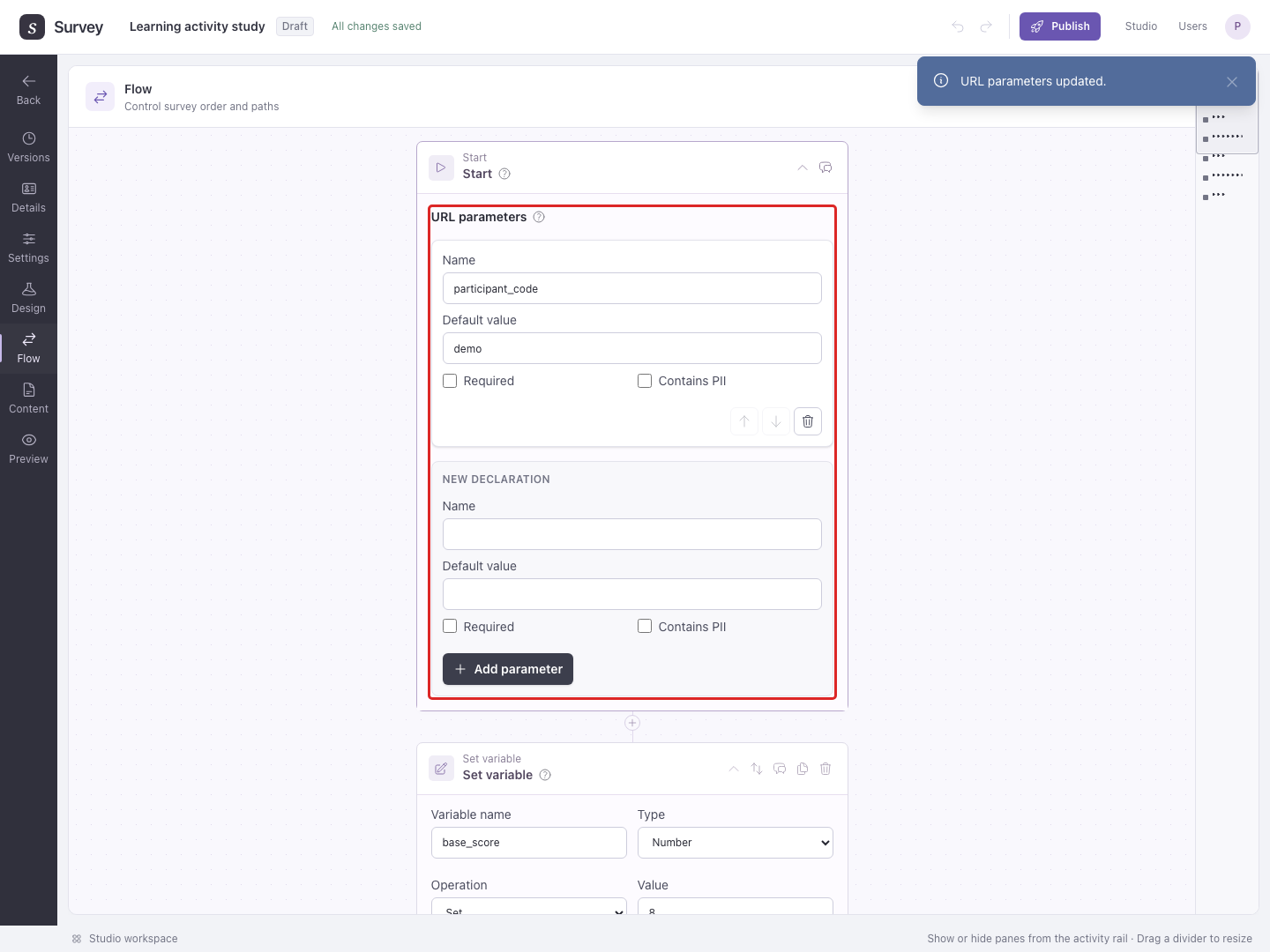
Only declared parameters are captured. Names must match the link exactly.
For a required parameter, the URL must contain its key. An empty value such as ?participant_id= still counts as supplied; Required does not validate the identifier's format. A link missing a required key cannot start the published survey and leads to the unavailable page. Test both the full recruitment link and a link with that key omitted before sharing it.
Example: Declare source with default direct. Add ?source=poster to the published URL:
https://your-survey-host/s/your-public-id?source=poster
People using that link have source set to poster; a link without source uses direct. To add another parameter, use &, for example ?source=poster&participant_id=example123. Replace the host and public ID with your published link.
Recruitment services, including Prolific
If a service supplies a participant ID in the URL, declare the same parameter name in Studio. For example, a link carrying PROLIFIC_PID needs a declaration named PROLIFIC_PID, marked Contains PII. Configure the service to insert each person's actual value; do not use one fixed ID for everyone.
Capturing an ID does not verify the person's identity, join sessions across browsers, or complete their submission on the recruitment service. Progress resumes through the saved browser session. Test the full recruitment link before launching a study.
Declared values can be used in Flow decisions and JavaScript variables. Personal identifiers are covered by PII removal.