Create, copy, and delete projects
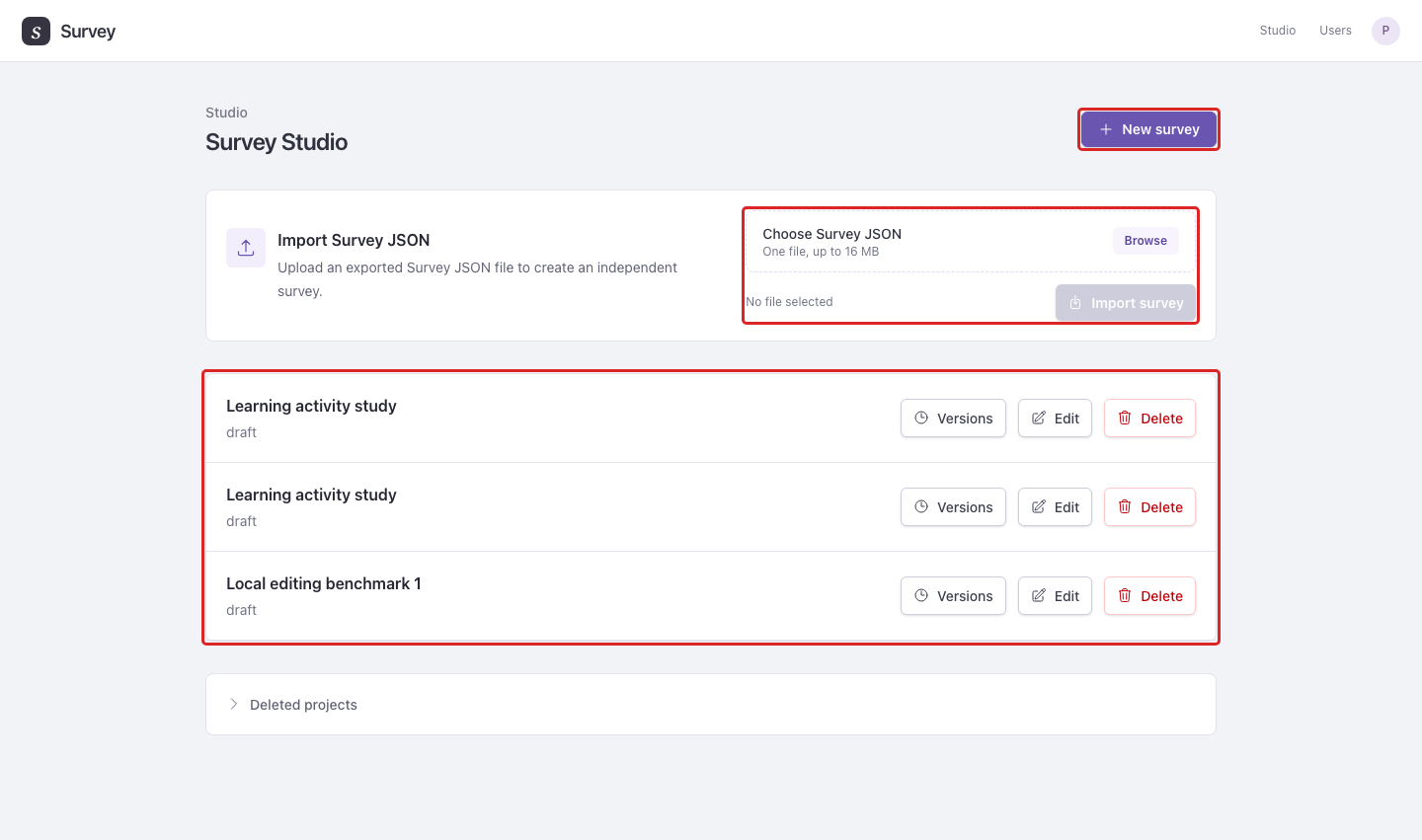
The Survey Studio page lists the surveys available to you. Use New survey to start a project, Edit to work on it, or Versions to inspect its drafts and publications.
A project holds one survey's versions, collaborators, and creation defaults. A draft is an editable version; publishing produces a fixed version with its own responses and retention schedule. The Studio list shows projects, while Versions lets you select the draft or publication to work with.
Copy a survey design
- In the source survey, open Versions and select the version to copy.
- Select Download Survey JSON.
- Return to Survey Studio, open Import Survey JSON, choose the exported file, and select Import survey.
The import creates an independent survey. Use this to reuse a study design; export responses separately when you need the collected data. The import accepts one Survey JSON file up to 16 MB.
Example: Export a completed pilot's design and import it as a separate project for a follow-up study. Edits in the follow-up do not change the pilot.
Delete or recover a project
The owner can select Delete in the project list, or Delete survey in the survey's Settings. Deletion closes its public surveys and schedules permanent deletion after 30 days.
Open Deleted projects during that period to see the available recovery actions:
- Restore for everyone restores access to the original project, including its versions, member access, and results and recordings that are still retained. It cannot recover data already removed by retention. Published surveys remain closed. Open the restored project in Studio, then Versions → Results for the publication whose responses you need. To collect again, create a new draft version, review its PII deadlines, and publish it With new URL.
- Restore as private clone copies the newest draft, or the latest published design if there is no draft, into a new project owned by you. It starts with one draft and includes no original responses, recordings, collaborators, or public links. The deleted original remains separate.
- Delete now permanently deletes the project immediately and cannot be undone.
Delete this version in survey Settings permanently deletes only the selected version. Check which version is selected before using it.
For shared access, use collaborators. For personal defaults and timezone, use account settings.